Chicken Runner - Typing Farm Game

WPM: 0 ACC: 100% SCORE: 0


Chicken Runner Typing Game


Enjoy a fun farm adventure while building strong typing skills across multiple languages. The Chicken Runner Typing Game combines exciting endless runner gameplay with interactive typing challenges, where your typing speed and accuracy help your chicken dodge obstacles, collect coins, and run farther. Players can practice typing in Pashto, Dari, English, Spanish, and Hindi, making the game perfect for students, language learners, and anyone looking to improve their typing skills in an engaging and entertaining way.


Key Features:


  • 🐔 Endless runner gameplay powered by typing speed and accuracy
  • ⌨️ Multi-language typing practice: Pashto, Dari, English, Spanish, and Hindi
  • 🎯 Progressive difficulty levels (i.e Beginner, Intermediate, Advanced, and Expert) to improve typing speed and accuracy
  • 🪙 Collect coins, avoid obstacles, and achieve higher scores as you run
  • 🏆 Points and leaderboard system that ranks players and encourages healthy competition
  • 🧠 Beginner-friendly and skill-building design

Earn points as you run, climb the leaderboard , and compete with other players while mastering typing in different languages. The faster and more accurately you type, the farther your chicken runs and the higher your score. Start running, start typing, and race your way to the top of the leaderboard !

🌍 Supported Languages

Multilingual Online Typing Master currently helps you learn to type in the following languages:

🇦🇫 Pashto پښتو
🇦🇫 Dari / Persian دری / فارسی
🇬🇧 English QWERTY
🇪🇸 Spanish Español
🇮🇳 Hindi हिन्दी
🎯 Typing Skill Levels

Multilingual Online Typing Master supports learning to type for people with the following typing skill levels:

🌱 Beginner Level 1
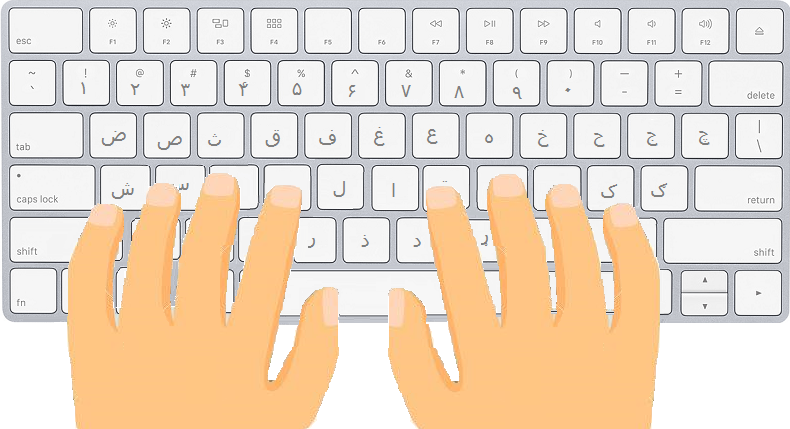
Learn basic key familiarity and hand positioning
📈 Intermediate Level 2
Build typing speed and consistency
Advanced Level 3
Improve accuracy and develop typing rhythm
🏆 Expert Level 4
Achieve professional typing performance
Your Typing Journey
🌱 Beginner 📈 Intermediate ⚡ Advanced 🏆 Expert


Check out other sections of the Multilingual Online Typing Master:

📚 Available Sections

Quick Start Typing

Quickly start practicing different sets of keys. Perfect for getting started with typing in any language.

🌱 Beginner 📈 Intermediate
⌨️

Get to Know the Keyboard

Learn to type in many languages with structured lessons for each key combination. Build a strong typing foundation.

🌱 Beginner 📈 Intermediate
📝

Learn to Type with Paragraphs

Practice typing full paragraphs in your chosen language. Improve fluency, speed, and accuracy with real-world text.

🌱 Beginner 📈 Intermediate Advanced 🏆 Expert
🏁

Find Your Typing Speed

Measure your typing speed and accuracy with a timed test. Get instant WPM results and track your progress.

🌱 Beginner 📈 Intermediate Advanced 🏆 Expert
🎮

Typing Games

Play fun games like Car Racing, Space Shooting, and Chicken Runner. Earn points while improving your typing skills.

🌱 Beginner 📈 Intermediate Advanced 🏆 Expert

Tips for Maintaining Proper Posture While Typing

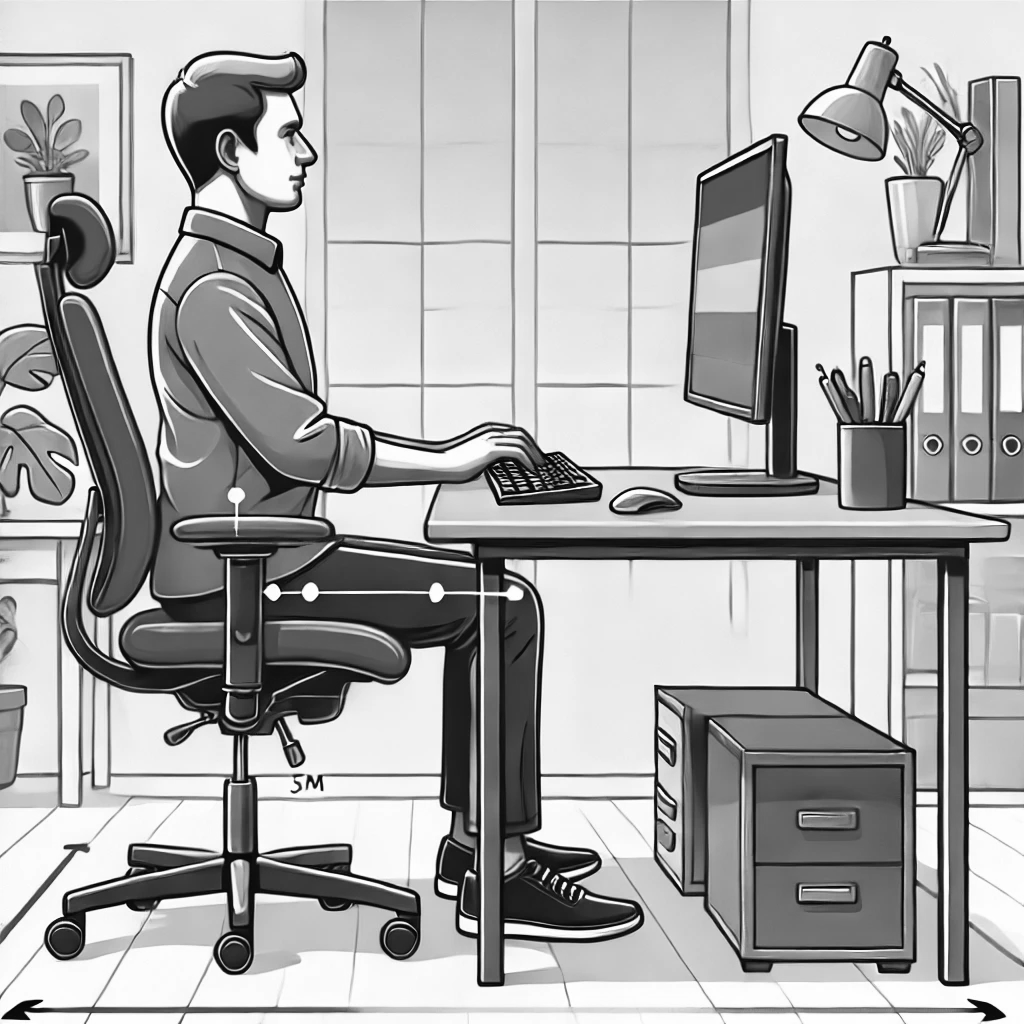
Maintaining good posture while typing is essential for comfort and preventing strain. Follow these guidelines to ensure a healthy and ergonomic typing setup.
🧍

Body Posture

  • Straight Back: Keep your back straight while using the computer to avoid back pain.
  • Relaxed Shoulders: Avoid lifting your shoulders; keep them relaxed to prevent tension.
  • Neutral Neck: Keep your neck straight and avoid twisting or tilting your head.
  • Aligned Wrists: Ensure your wrists and forearms form a straight line while typing.
  • Curved Fingers: Maintain a natural curve in your fingers to prevent fatigue.
⌨️

Keyboard and Mouse Placement

  • Keep Devices Close: Position your keyboard and mouse close together to minimize reaching.
  • Elbow Height: Ensure the keyboard and mouse are at about elbow level to maintain a natural arm posture.
🖥️

Monitor Placement

  • Eye-Level Alignment: Place the monitor directly in front of you, at or slightly below eye level, to avoid neck strain.
  • Document Positioning: If referencing documents, keep them near the monitor to reduce neck movement.
Proper ergonomic typing posture - back straight, shoulders relaxed, wrists aligned, monitor at eye level

This image portrays the correct posture for using a computer.

🪑

Chair and Foot Placement

  • Chair Height: Adjust your chair so your feet rest flat on the floor or on a footrest.
  • Elbows Close: Keep your elbows close to your body, using armrests if available for support.
💡

Additional Tips

  • Light Typing Pressure: Avoid pressing the keys too hard to reduce strain on your fingers.
  • Take Regular Breaks: Pause every 20–30 minutes to stretch, relax your muscles, and rest your eyes.
  • Workspace Lighting: Use adequate lighting to reduce glare on the screen and minimize eye strain.