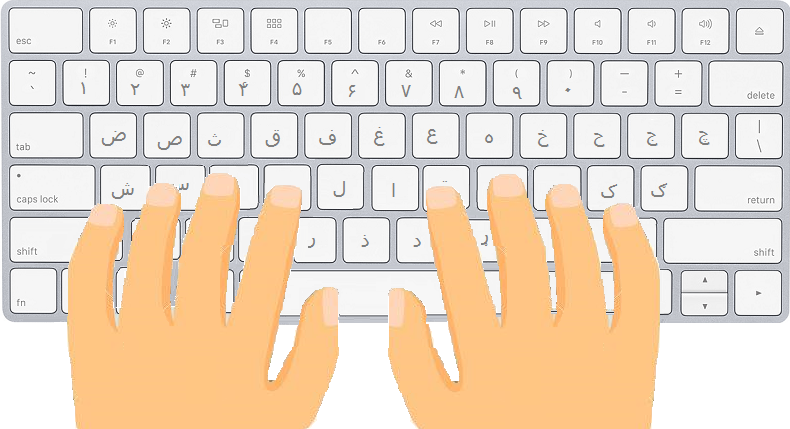
Space Shooting Typing Game – Blast Aliens While You Learn To Type
Combine the thrill of space battles with typing practice in this Space Shooting Typing Game! Your typing skills control your spaceship’s weapons: type accurately and quickly to shoot down incoming enemies and survive waves of alien attacks. Players can practice typing in Pashto, Dari, English, Spanish, and Hindi, making it an exciting way to improve language and typing skills simultaneously.
Key Features:
- 🚀 Action-packed space shooting gameplay driven by typing speed and accuracy
- ⌨️ Multi-language typing practice: Pashto, Dari, English, Spanish, and Hindi
- 🎯 Progressive difficulty levels (i.e Beginner, Intermediate, Advanced, and Expert) to improve speed and precision
- 🏆 Points and leaderboard system to track progress and compete with others
- 🧠 Beginner-friendly and skill-building design
Earn points for every alien you defeat, climb the leaderboard , and prove your typing mastery in the galaxy. The faster and more accurately you type, the stronger your spaceship and the higher your rank!
Watch Demo on YouTube
Supported Languages
Multilingual Online Typing Master currently helps you learn to type in the following languages:
Multilingual Online Typing Master supports learning to type for people with the following typing skill levels:
Check out other sections of the Multilingual Online Typing Master:
📚 Available Sections
Quick Start Typing
Quickly start practicing different sets of keys. Perfect for getting started with typing in any language.
Get to Know the Keyboard
🔒 Requires LoginLearn to type in many languages with structured lessons for each key combination. Build a strong typing foundation.
Learn to Type with Paragraphs
🔒 Requires LoginPractice typing full paragraphs in your chosen language. Improve fluency, speed, and accuracy with real-world text.
Find Your Typing Speed
Measure your typing speed and accuracy with a timed test. Get instant WPM results and track your progress.
Typing Games
Play fun games like Car Racing, Space Shooting, and Chicken Runner. Earn points while improving your typing skills.
Tips for Maintaining Proper Posture While Typing
Maintaining good posture while typing is essential for comfort and preventing strain. Follow these guidelines to ensure a healthy and ergonomic typing setup.
Body Posture
- Straight Back: Keep your back straight while using the computer to avoid back pain.
- Relaxed Shoulders: Avoid lifting your shoulders; keep them relaxed to prevent tension.
- Neutral Neck: Keep your neck straight and avoid twisting or tilting your head.
- Aligned Wrists: Ensure your wrists and forearms form a straight line while typing.
- Curved Fingers: Maintain a natural curve in your fingers to prevent fatigue.
Keyboard and Mouse Placement
- Keep Devices Close: Position your keyboard and mouse close together to minimize reaching.
- Elbow Height: Ensure the keyboard and mouse are at about elbow level to maintain a natural arm posture.
Monitor Placement
- Eye-Level Alignment: Place the monitor directly in front of you, at or slightly below eye level, to avoid neck strain.
- Document Positioning: If referencing documents, keep them near the monitor to reduce neck movement.
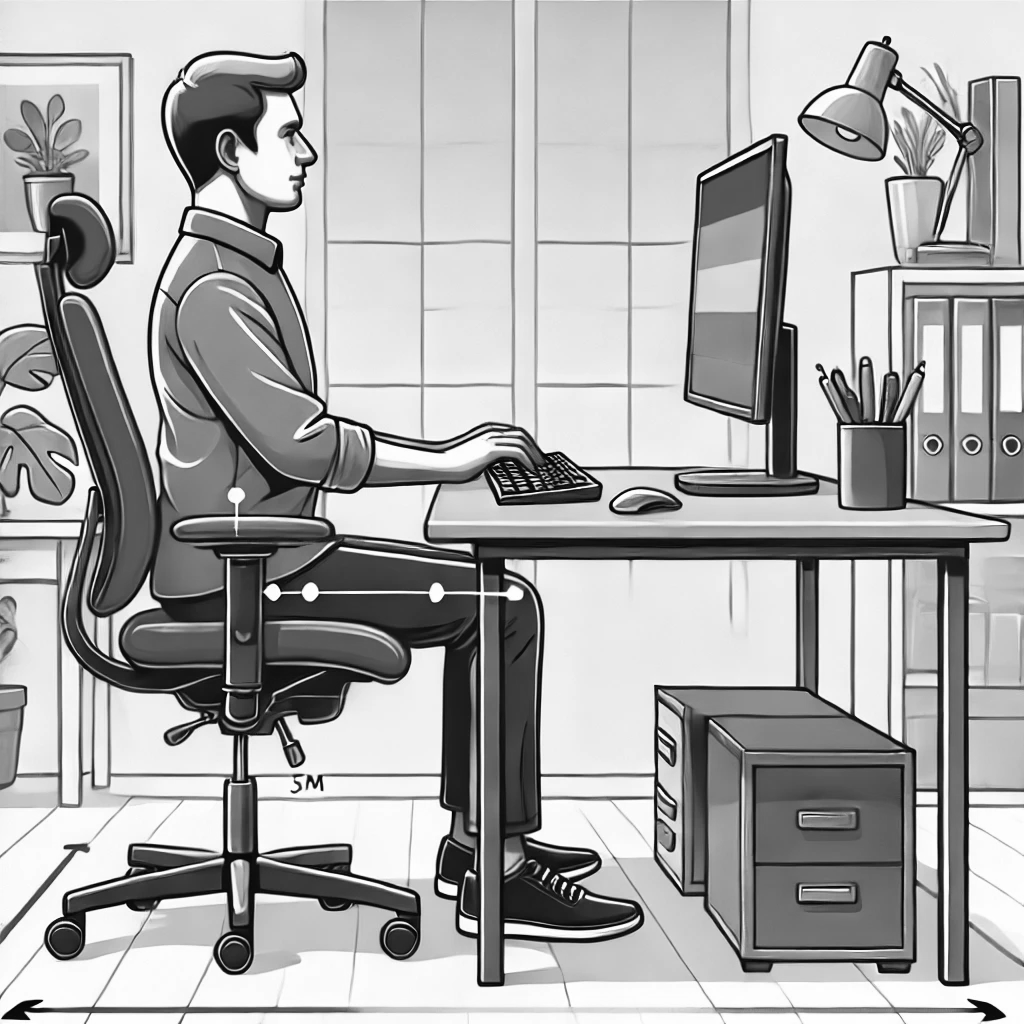
This image portrays the correct posture for using a computer.
Chair and Foot Placement
- Chair Height: Adjust your chair so your feet rest flat on the floor or on a footrest.
- Elbows Close: Keep your elbows close to your body, using armrests if available for support.
Additional Tips
- Light Typing Pressure: Avoid pressing the keys too hard to reduce strain on your fingers.
- Take Regular Breaks: Pause every 20–30 minutes to stretch, relax your muscles, and rest your eyes.
- Workspace Lighting: Use adequate lighting to reduce glare on the screen and minimize eye strain.